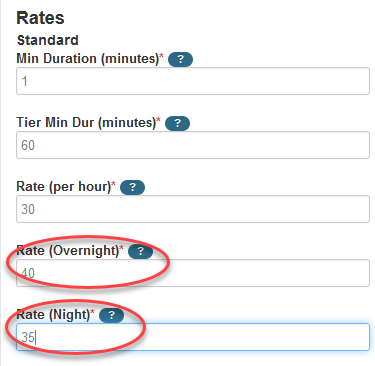
Overnight and Night are specific time spans that cannot be customized or altered.
Nights are defined as the end of your standard business hours (e.g. 5:00 pm) to midnight.
Overnight is midnight to the beginning of your standard business hours (e.g. 8:00 am).
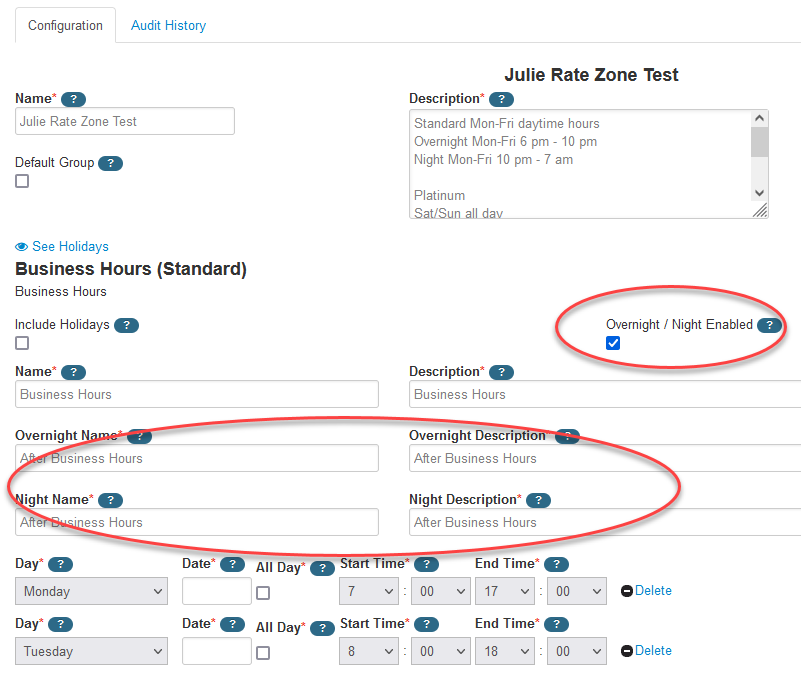
Check the checkbox Overnight / Night Enabled on the Rate Zone
Note: There is an additional field on the back-end of the system that needs to be turned on; if you are going to use Overnight/Night settings, please send an email to support@interpreterintelligence.com
so that the support team can confirm the setting is turned on for your agency.
On Rate Zones
Check the overnight/night enabled checkbox for each of the rate zones that this will apply
Give the fields a name and description as in the screenshot below
On Rate Plans
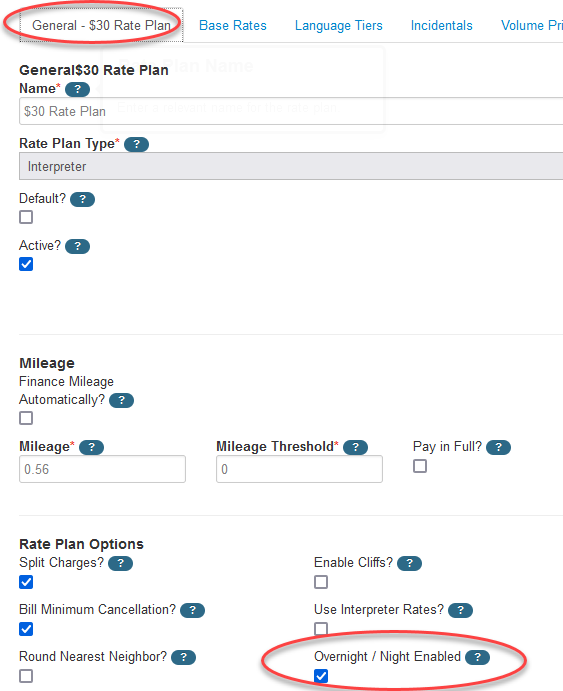
General Tab of Rate Plan
The Overnight / Night Enabled setting must also be checked on the rate plan. Check the setting and Save. After saving, you will see additional fields on each service type.
Base Rates, Rate Qualifications, Language Tiers
Overnight and Night rate fields are now visible