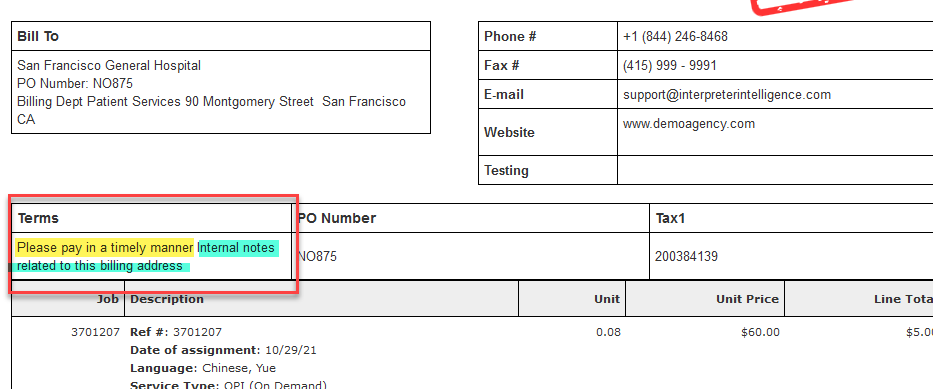
Note: This information is visible on the Interpreter Intelligence Invoice only; it does not pass over to Quickbooks invoices.
Settings
Admin menu > Company menu > Configuration tab settings to display Billing Notes, Memo and Payment Terms on the Invoice template:
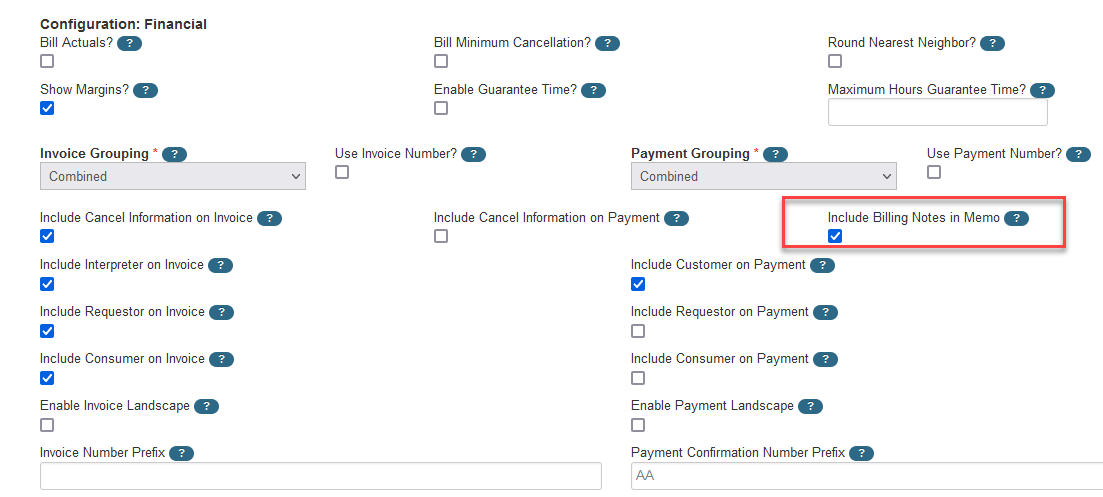
If the Include Billing Notes in Memo checkbox is enabled, the Invoice will display information from the field called Notes found on the Customer profile (Manage Customers > Billing Information section):
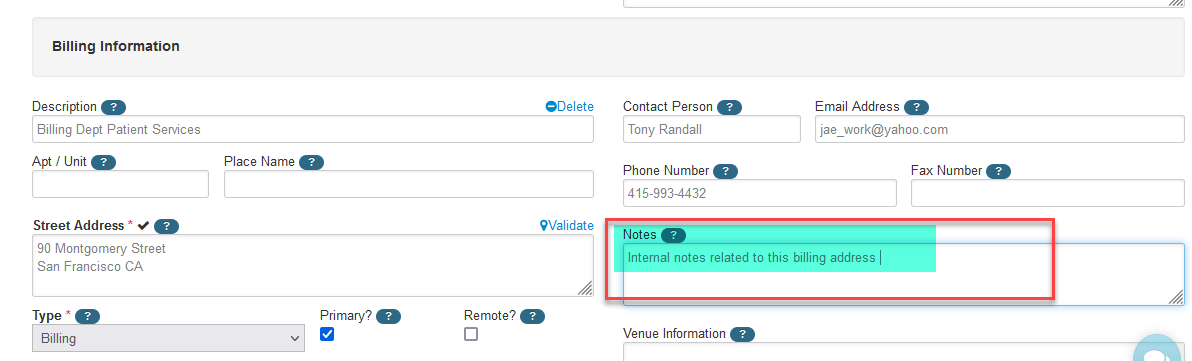
Issue:The tooltip states that these are Internal notes related to this billing address, however the customer will see these notes if the Include Billing Notes in Memo checkbox is enabled. If you do not wish the customer to see these notes, uncheck the box Include Billing Notes in Memo checkbox on Company Configuration; this is company-wide.
The code snippet that inserts this information into the template is ${invoice.memo?.encodeAsHTML()?:""}
Memo
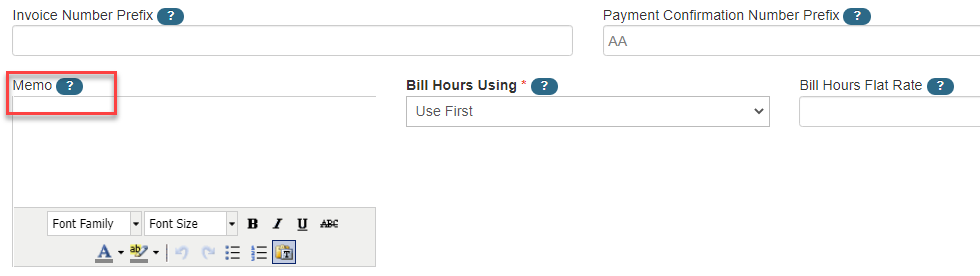
The code snippet below inserts a message from the Admin > Company > Configuration page. The field "Memo" is found under the Financial section. It is generally inserted at the bottom of the invoice template and is a company-wide Memo, not customer-specific.
${company?.config?.memo?:""}
Payment Terms
Payment Terms information is also pulled from the Manage Customers > Customer profile from the Billing Terms section. The note field is called "Payment Terms" and displays as Terms on the invoice.
If no information is filled out in either the Notes or the Payment Terms on the Customer profile, nothing will display under the Terms section of the invoice.